Join The Waitlist!
LegacyMaker is coming soon, are YOU on the list!? Enter your information below to receive updates and be the first to know when we're available to the public!
By providing your information you are consenting to the collection and use of your data in accordance with our Terms of Service and Privacy Policy.
Limited Time: Save BIG With The 'Legacy Plan'!
LegacyMaker Is Coming Soon – Join Our Waitlist For The Latest Updates!
Features / Project Builder
Build YOUR Legacy, YOUR Way.
Quickly create and customize simple project frameworks to organize your ideas.
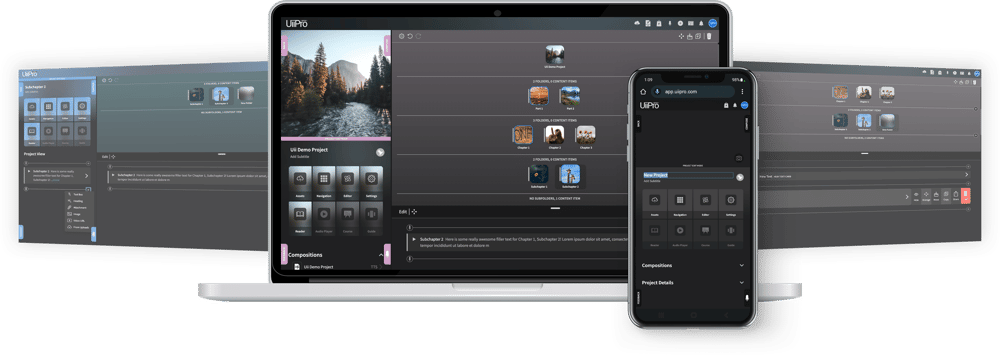
Why Legacy Project Builder?
The Project Builder is designed to inspire creativity and eliminate hurdles in the creative process, allowing you to spend more time capturing your mind's magic, and less time fussing with endless files and various software tools.
When we designed this feature, we envisioned something SO SIMPLE that you could literally just Click, Capture, and Compose professional level content... but also SO POWERFUL that you could do it all on ONE platform, from the palm of your hand, at the speed of your own thoughts.
What we came up with was the most streamlined "do-it-yourself" system on the market for capturing your ideas and sharing your message with the world.
Here's How It Works...
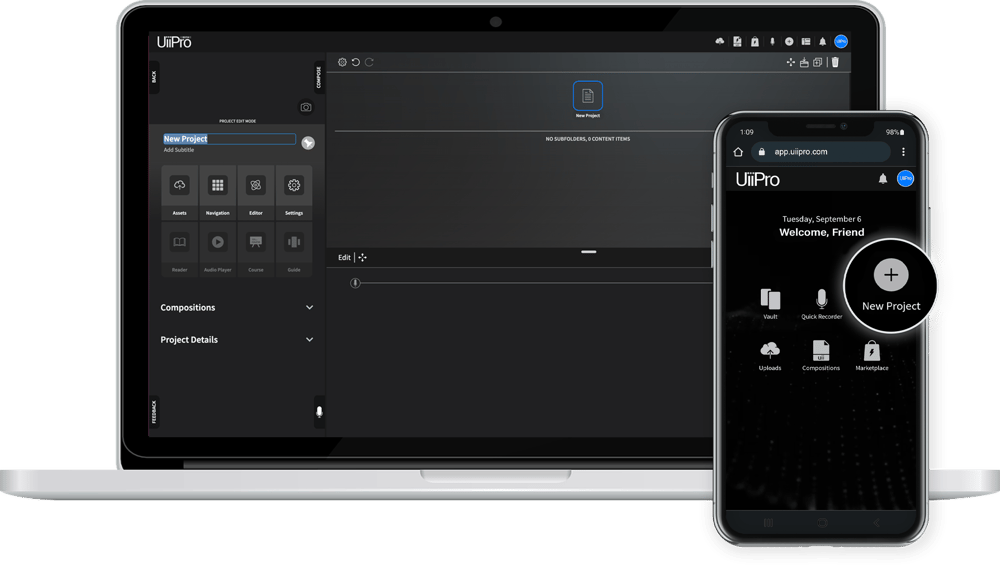
Start A New Project
Starting a new Legacy project is as easy as 1-2-3!
1. Select "New Project" from the welcome screen
2. Give your project a title and subtitle (if applicable)
3. Click the camera icon to add a cover image
Boom! Just like that, you're ready to start adding content!
Start A New Project
Starting a new Legacy project is as easy as 1-2-3!
1. Select "New Project" from the welcome screen
2. Give your project a title and subtitle (if applicable)
3. Click the camera icon to add a cover image
Boom! Just like that, you're ready to start adding content!
Add Project Folders
Folders within a project are organized much like sections, chapters, and subchapters are organized within a book. The top layer is your main project folder – Any additional folders or content you add to your project will land within this folder.
Adding folders to your project is simple:
- Tap the "+" button and give the folder a name
- Click the camera icon to add a cover image
It's that easy!!!
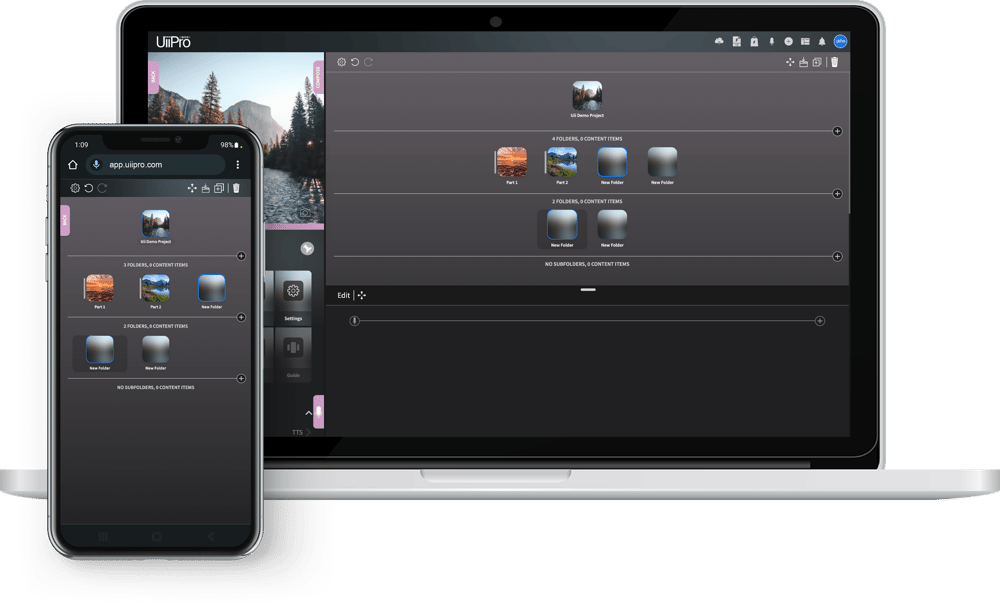
Add Project Folders
Folders within a project are organized much like sections, chapters, and subchapters are organized within a book. The top layer is your main project folder – Any additional folders or content you add to your project will land within this folder.
Adding folders to your project is simple:
- Tap the "+" button and give the folder a name
- Click the camera icon to add a cover image
It's that easy!!!
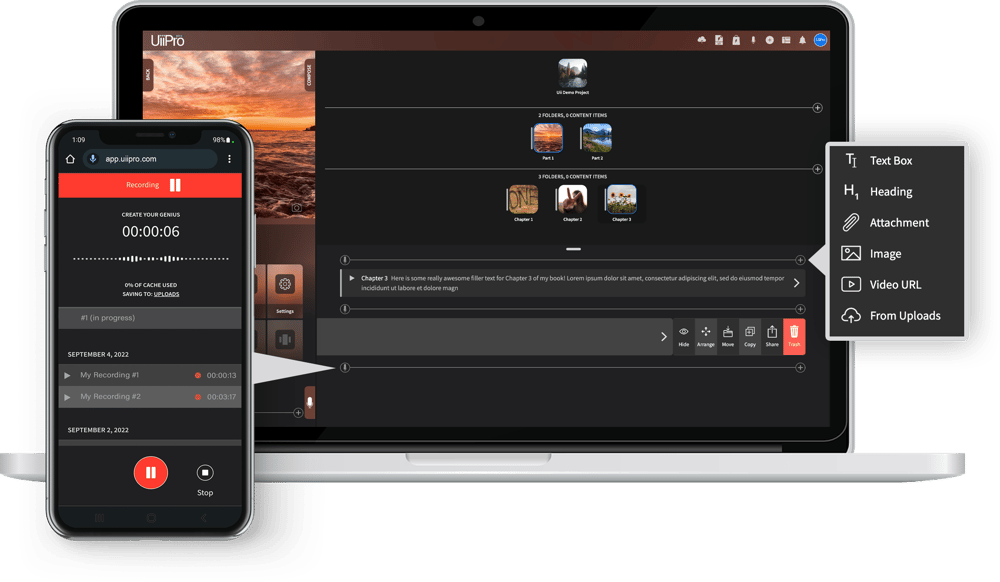
Unleash Your Creative Genius!
Once you've created the framework for your project (your folders), you're ready to start adding content!
- The microphone icon will allow you to record directly into the selected folder
- The "+" icon will allow you to add various project elements to the selected folder – text boxes, headings, attachments, images, video URLs, and uploaded files
Edit As Needed
Not satisfied with how your project is taking shape? No problem! The Project Builder makes it easy add, edit, move, or delete folders and elements within a project.
In fact, you can even move content BETWEEN projects if you decide an idea fits better somewhere else.
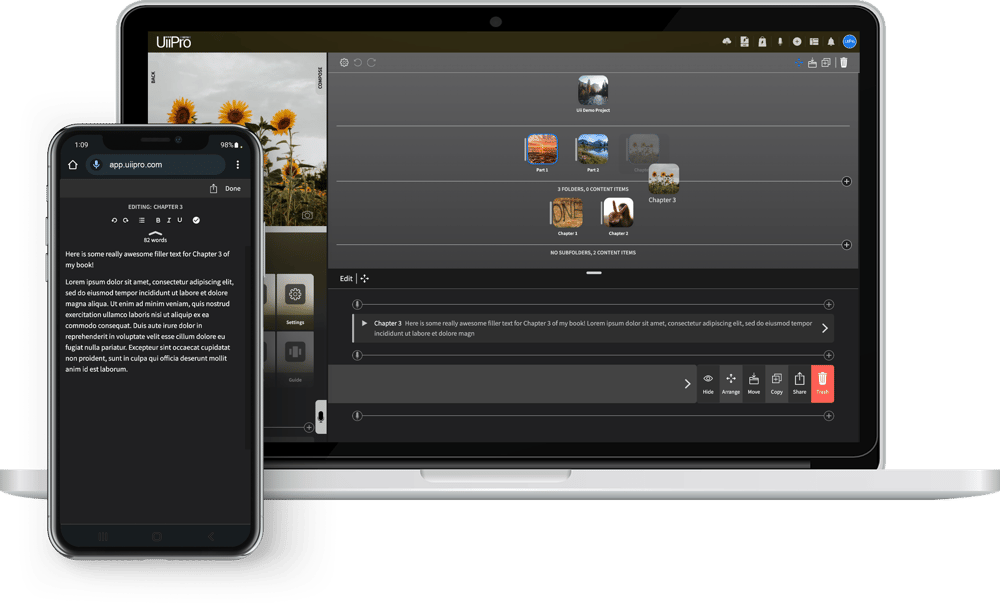
Edit As Needed
Not satisfied with how your project is taking shape? No problem! The Project Builder makes it easy add, edit, move, or delete folders and elements within a project.
In fact, you can even move content BETWEEN projects if you decide an idea fits better somewhere else.

Start Your Free Trial Today!
Join the movement and experience for yourself how quick and easy it is to turn your legacy-defining ideas into income-generating assets using LegacyMaker!
No Long-Term Contracts, Cancel Anytime
Start Your Free Trial Today!
Join the movement and experience for yourself how quick and easy it is to turn your legacy-defining ideas into income-generating assets using LegacyMaker!
No Long-Term Contracts, Cancel Anytime
Start Your Free Trial Today!
Join the movement and experience for yourself how quick and easy it is to turn your legacy-defining ideas into income-generating assets using LegacyMaker!
No Long-Term Contracts, Cancel Anytime
Start Your Free Trial Today!
Join the movement and experience for yourself how quick and easy it is to turn your legacy-defining ideas into income-generating assets using LegacyMaker!
No Long-Term Contracts, Cancel Anytime
Frequently Asked Questions
- Do I need any coding experience to use the Project Builder?
Nope! The Project Builder was designed to eliminate creative hurdles, giving YOU – the entrepreneur – the power to build YOUR legacy, YOUR way, without having to rely on an entire tech support team. If you can click a few buttons, you can build your own custom projects using UiiPro!
- What if I don't want to build my own projects... Can LegacyMaker still work for me?
Absolutely! While the Project Builder allows for a little more creative freedom, we realize that's not everyone's cup of tea... Legacy Guides offer a great alternative for those looking for the fastest possible path from idea to asset. (Pssst... You get access to BOTH features in your LegacyMaker account!)
© 2023 LegacyMaker, LLC. All Rights Reserved.
PO Box 7846 Bonney Lake, WA 98391
HELP
Member Login
Legacy Training
Facebook Page