
Join The Waitlist!
LegacyMaker is coming soon, are YOU on the list!? Enter your information below to receive updates and be the first to know when we're available to the public!
By providing your information you are consenting to the collection and use of your data in accordance with our Terms of Service and Privacy Policy.
Limited Time: Save BIG With The 'Legacy Plan'!
LegacyMaker Is Coming Soon – Join Our Waitlist For The Latest Updates!
Features / Guide Builder
Revolutionizing The Way We Inspire, Create, And Educate
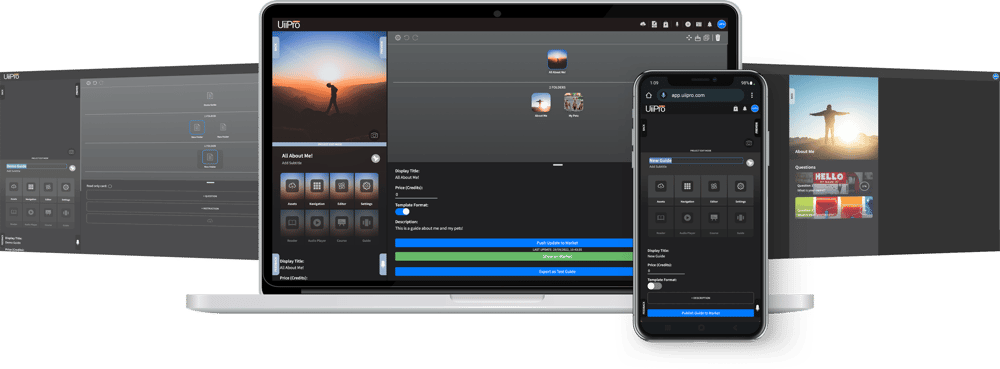
Easily build custom, interactive Guides to help your audience achieve a desired result.
Why Legacy Guide Builder?
It's no secret that entrepreneurs are a unique breed... We learn differently, we create differently, and we see the world differently than most. For most of us, that meant the traditional education model was a constant battle between staying true to ourselves, and trying to fit into a mold that wasn't designed for us.
As we developed LegacyMaker, not only did we want to address the need for an easier way to create, but also the need for a better way to learn.
Legacy Guides address both of these needs through a unique and interactive questioning process designed to inspire creativity and prompt intentional action. While the Guide Builder was initially built for internal use, we knew we couldn't keep this feature to ourselves after seeing how it has revolutionized the way we learn, create, and educate.
Here's How It Works...
Create A Custom Guide
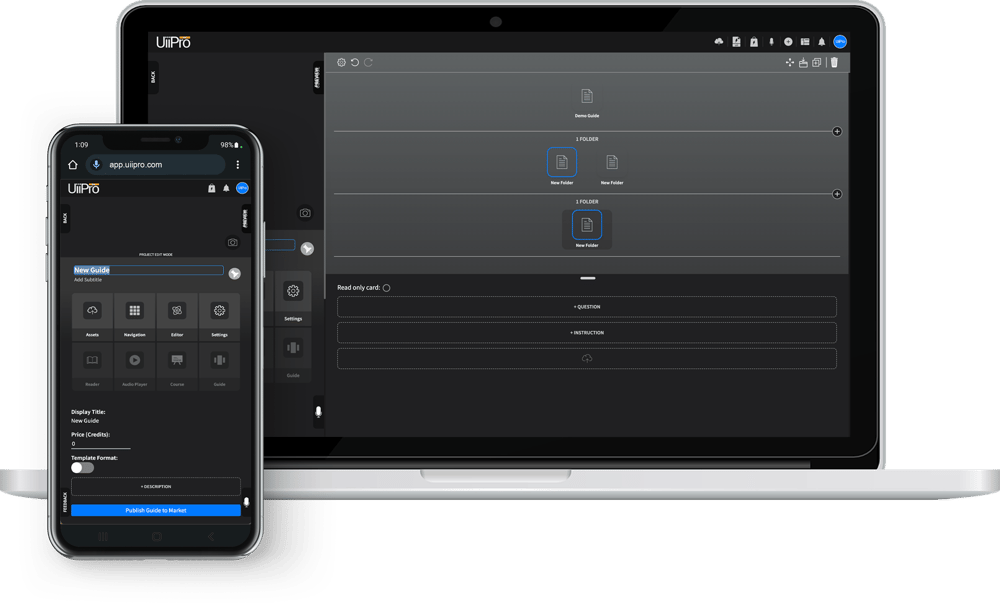
Starting a new Guide is easy as 1-2-3!
1. Click the plus button and select "Guide Builder"
2. Give your Guide a title and add a brief description
3. Click the camera icon to add a cover image
Boom! Just like that, you're ready to start adding content!
Create A Custom Guide
Starting a new Guide is easy as 1-2-3!
1. Click the "+" button and select "Guide Builder"
2. Give your Guide a title and add a brief description
3. Click the camera icon to add a cover image
Boom! Just like that, you're ready to start adding content!
Add Your Guide Sections
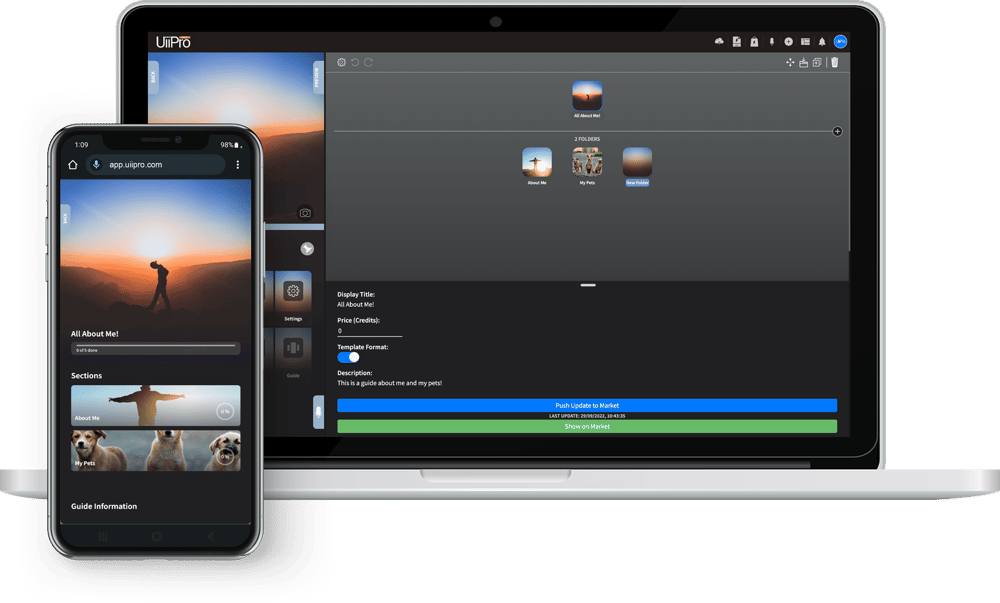
Building a Guide is very similar to building a Project! The top layer is your main Guide folder, and within this folder are your Guide sections.
To add a section...
- Tap the "+" button and give the section a name
- Click the camera icon to add a cover image
It's that easy!!!
Add Your Guide Sections
Building a Guide is very similar to building a Project! The top layer is your main Guide folder, and within this folder are your Guide sections.
To add a section...
- Tap the "+" button and give the section a name
- Click the camera icon to add a cover image
It's that easy!!!
Add Your Question Cards
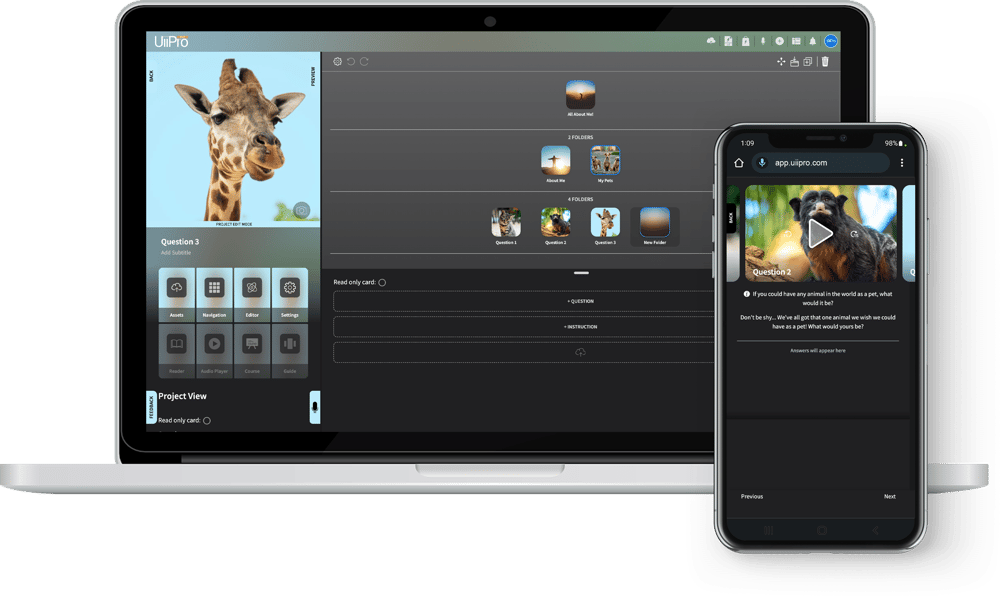
Now let's create your question cards!
When you add a card to a section, you're prompted to include a question and instructions. If you wish, you can easily convert this instructional text into audio using the text-to-speech feature.
Add Your Question Cards
Now let's create your question cards!
When you add a card to a section, you're prompted to include a question and instructions. If you wish, you can easily convert this instructional text into audio using the text-to-speech feature.
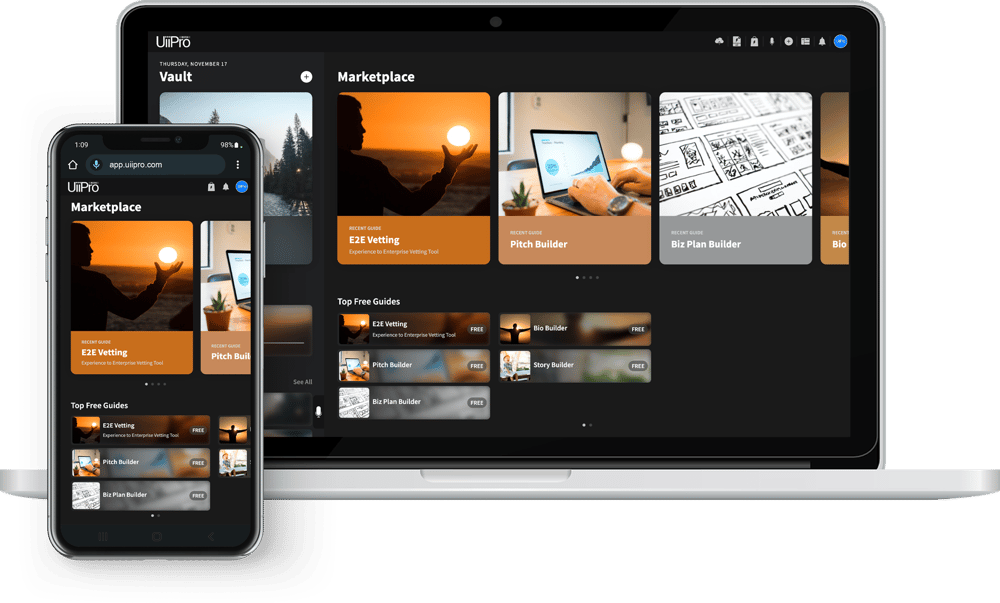
Publish Your Guide
If you wish to share your finished Guide with the public, simply define a price (in Legacy credits) and select "Publish Guide To Market" to start earning from your expertise!
Publish Your Guide
If you wish to share your finished Guide with the public, simply define a price (in Legacy credits) and select "Publish Guide To Market" to start earning from your expertise!

Start Your Free Trial Today!
Join the movement and experience for yourself how quick and easy it is to turn your legacy-defining ideas into income-generating assets using LegacyMaker!
No Long-Term Contracts, Cancel Anytime
Start Your Free Trial Today!
Join the movement and experience for yourself how quick and easy it is to turn your legacy-defining ideas into income-generating assets using LegacyMaker!
No Long-Term Contracts, Cancel Anytime
Start Your Free Trial Today!
Join the movement and experience for yourself how quick and easy it is to turn your legacy-defining ideas into income-generating assets using LegacyMaker!
No Long-Term Contracts, Cancel Anytime
Start Your Free Trial Today!
Join the movement and experience for yourself how quick and easy it is to turn your legacy-defining ideas into income-generating assets using LegacyMaker!
No Long-Term Contracts, Cancel Anytime
Frequently Asked Questions
- Can I edit a Guide after it has been published?
Yes, you can always revisit your published Guides from the GuideBuilder tab. Once you're finished editing, be sure to select the "Push Update To Market" button to apply your changes!
- Do I have to publish my Guide to the Marketplace?
Nope! If you'd prefer to keep your Guide for personal use, you can click the red "Show On Market" button. Your Guide will remain visible in your account, but will no longer be visible on the Marketplace.
© 2023 LegacyMaker, LLC. All Rights Reserved.
PO Box 7846 Bonney Lake, WA 98391
HELP
Member Login
Legacy Training
Facebook Page